Frequently Asked Questions
Logging On
Lost activation code
When you registered onto Wiggle Time we sent you an email with
your activation code. You need to click on this to activate
your account. We do this to confirm email addresses are
correct for security reasons. If you have misplaced your
activation code then simply click on the "forgot your password" on
the front page and you can choose to have your activation code
resent to you.
(please always check the spam and junk folders of your
inbox - we are getting some reports for emails going into them in
error)
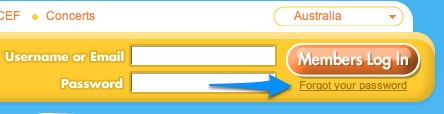
STEP 1 To have your activation code resent , simply go to the
Wiggle Time home page and click on the "forgot your password"
link under the Member Log In button. (this also helps with
activation code
STEP 2 Then just fill in your email and Checkbox one of the two
options. (you must do this or the submit wont work).
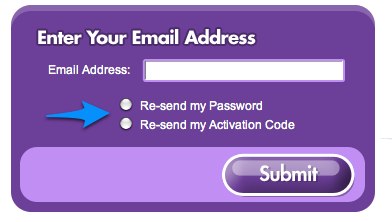
STEP 3 Click submit.
STEP 4 Check your email.
Still need more help? Click Here